
- WordPress 6.9 improves everyday editing with cleaner workflows and better block control.
- Collaboration gets stronger with Notes and block-level visibility tools.
- New and updated core blocks reduce dependence on plugins and custom code.
- The release set the foundation for real-time editing and AI features in WordPress 7.0.
WordPress 6.9 was officially released on December 2, 2025, marking the second major WordPress update of the year. This version continues the shift toward a cleaner, more capable editing experience. It improves the Site Editor, provides smoother performance, and introduces new tools that make creating and managing content and layouts easier.
In this blog, we’ll explore what’s new in WordPress 6.9 and how these changes impact everyday users. We’ll discuss the refined site-editing experience, improved template control, new content blocks, and collaboration features that make this update practical for modern WordPress sites. Let’s begin.
What’s New in WordPress 6.9?
WordPress 6.9 brings focused improvements that make the platform feel more stable, transparent, and easier to use without changing how you already work.
- The editor feels steadier and more responsive during daily tasks.
- The dashboard experience is more consistent across pages and settings.
- Site-building tools now feel better connected and easier to use.
- Fewer distractions while editing help maintain a smooth workflow.
- The platform is better prepared for future updates without adding complexity.
Overall, WordPress 6.9 improves the core experience and makes site management more reliable for everyday use. If you want all these latest features for your site, hire WordPress developers to make the process effortless.
WordPress 6.9 Release Schedule
Below is a detailed WordPress 6.9 release schedule.
| Date | Milestone | Overview |
|---|---|---|
| March 25, 2025 | Alpha Phase Begins | Core development opens. New features and changes started taking shape. |
| October 21, 2025 | Beta 1 | Feature work paused. Testing began, and bug fixes became the main focus. |
| October 28, 2025 | Beta 2 | Continued testing with fixes applied from early beta feedback. |
| November 4, 2025 | Beta 3 | Stability improvements continue based on broader testing. |
| November 11, 2025 | Release Candidate 1 | The feature set was locked. Documentation and final testing started. |
| November 18, 2025 | Release Candidate 2 | Visual and content refinements are made. No new features added. |
| November 25, 2025 | Release Candidate 3 | Final polish and preparation for launch. |
| December 1, 2025 | Final Checks & Code Freeze | Last checks completed. Code locked for release. |
| December 2, 2025 | WordPress 6.9 release date | Official public release of WordPress 6.9. |
New Features in WordPress 6.9
The latest WordPress update adds features that enhance editing, designing, and collaboration. It focuses on saving time and keeping control in your hands.
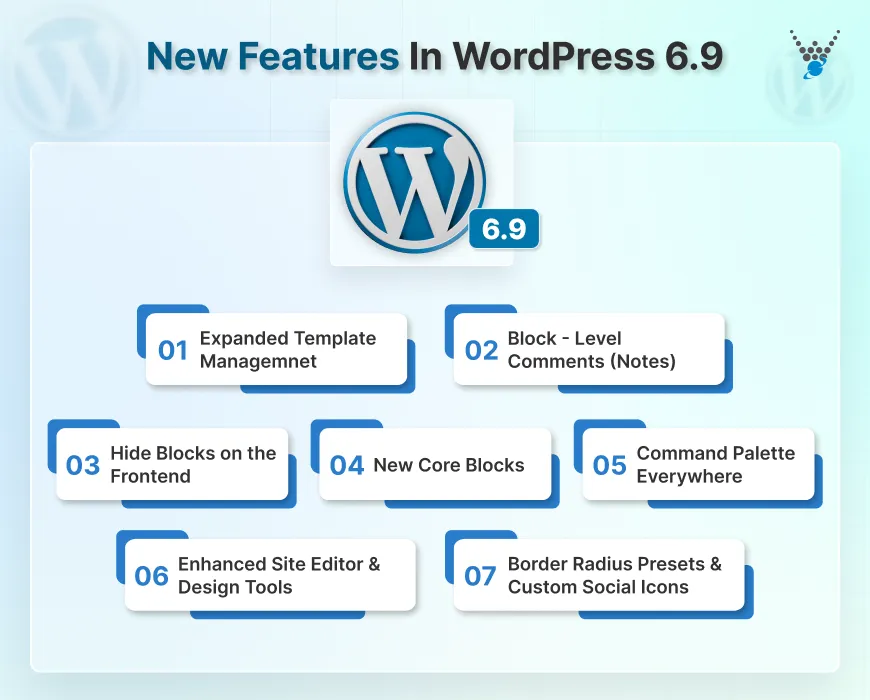
Enhanced Site Editor & Design Tools
The Site Editor is now easier to use for daily updates. You can change text or images without dealing with design settings. Advanced tools remain available when you need more control. This makes editing faster and simpler to manage.
Expanded Template Management
Creating and managing templates has become easier with WordPress 6.9. You can use multiple templates for the same page and save drafts before publishing. Custom templates remain intact when you change themes, preventing layout loss and rework.
Block-level Comments (Notes)
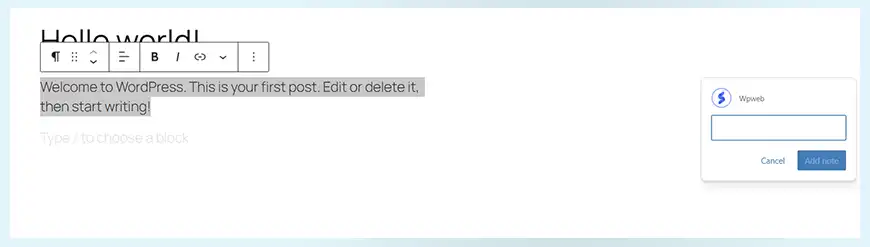
WordPress now supports collaboration inside the editor. Team members can leave comments directly on specific blocks. You can reply to notes or mark them as resolved, keeping feedback clear and tied to the right content.
Hide Blocks on the Frontend
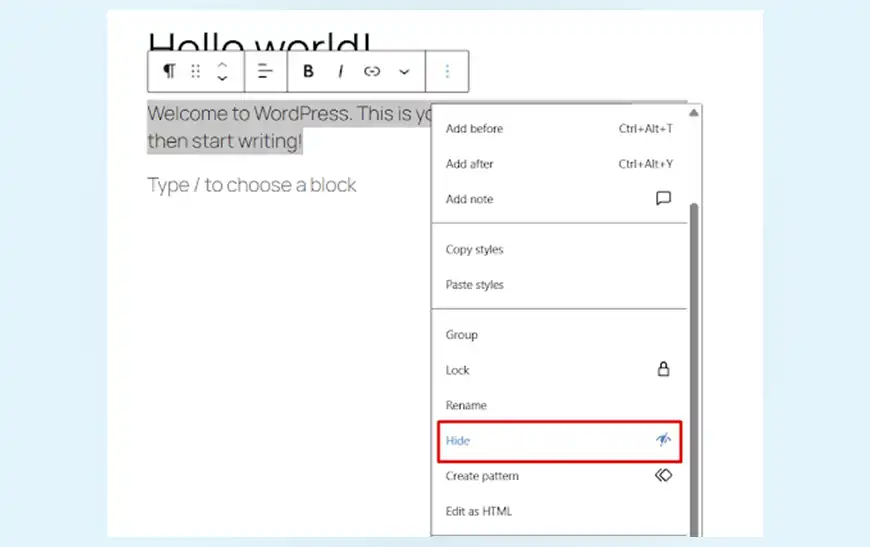
You can now hide blocks from visitors while keeping them visible in the editor. This makes it easier to test layouts, prepare content in advance, or pause sections without deleting anything.
New Core Blocks
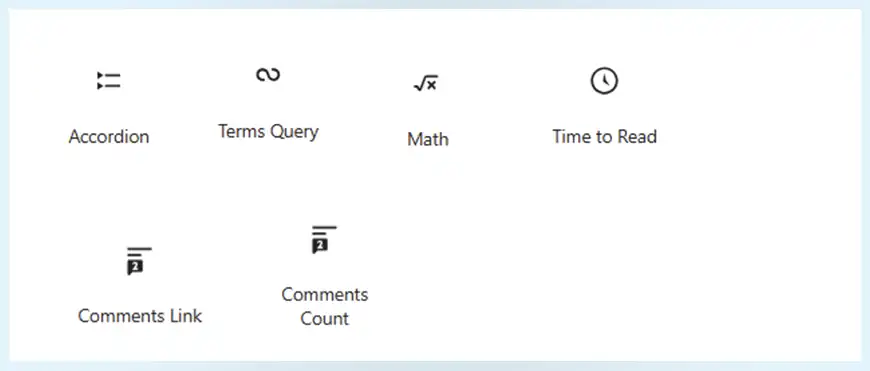
Several new blocks expand what you can build without plugins. These include Accordion, Math, Terms Query, and Time-to-Read blocks. Text blocks also gained a Fit Text option that automatically adjusts the text size within its space.
Command Palette Everywhere
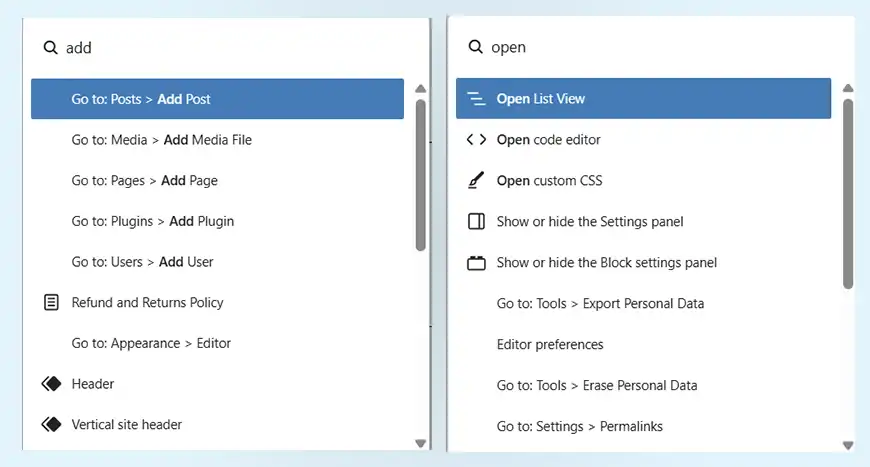
The Command Palette is now available across the entire dashboard. With a quick keyboard shortcut, you can jump between pages, settings, and actions without using menus. It’s a quiet but powerful boost to speed.
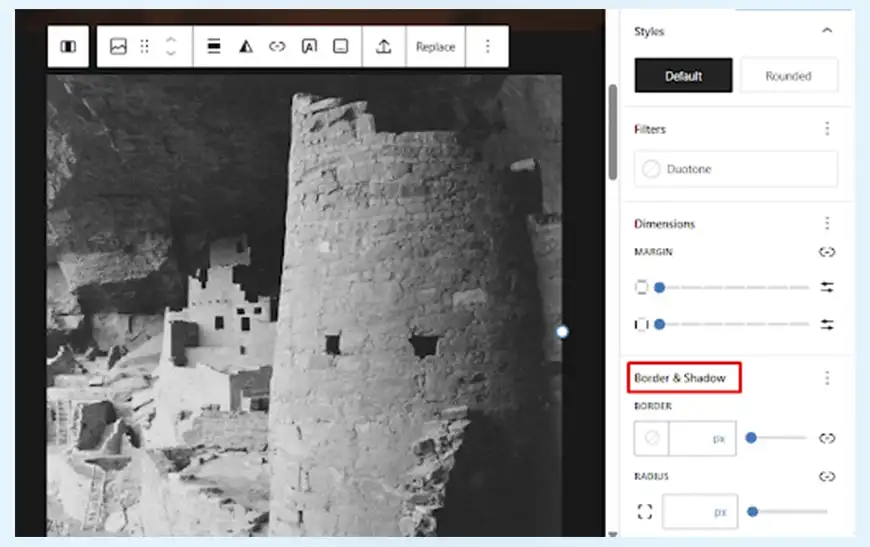
Border Radius Presets and Custom Social Icons
Design control becomes sharper with border-radius presets for consistent styling. Social links are also more flexible, allowing custom icons for platforms beyond the defaults.
Abilities API and AI Experiments
AI is slowly becoming a core part of WordPress. Built-in AI features reduce the dependence on different plugins. The new Canonical AI plugin provides a shared space for testing and growing AI features. Alongside this, the PHP AI client creates a link between WordPress and AI services, reducing duplicate logic and errors. The Abilities API allows AI tools to access site features for improved automation and easier maintenance.
Together, these features make WordPress 6.9 more powerful without adding complexity. The platform feels more flexible, more collaborative, and easier to use daily.
New Core Blocks in WordPress 6.9
WordPress 6.9 introduces several new core blocks that reduce the need for plugins and make content more flexible. These blocks focus on structure, clarity, and better content presentation.
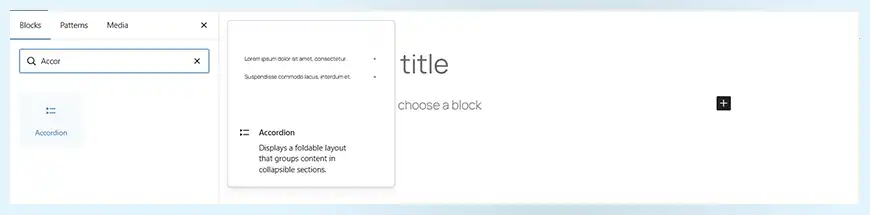
Accordion Block
The Accordion block is now part of the core editor. It has a nested structure made of headings and content panels. Each section can be opened or closed with a click. The content area supports all blocks, making it useful for FAQs, long pages, and grouped information.
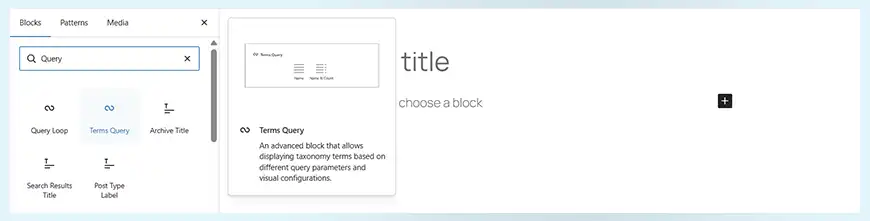
Terms Query Block
This block displays taxonomy terms instead of posts. It enables users to sort, filter, and limit terms by count. The layout supports both list and grid views, with control over spacing and columns. It works well for showing categories, tags, or custom taxonomies in a clean layout.
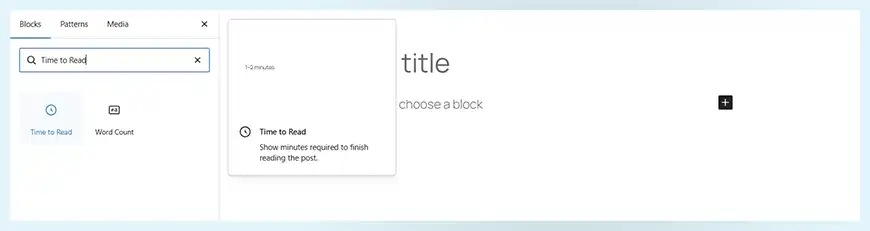
Time to Read Block
The Time to Read block shows how long a post or page may take to read. It also supports word count display. Reading time can be set as a range or a fixed value, helping set clear expectations for readers.
Math Block
The Math block makes it easy to add formulas to content. It supports standard math syntax and converts it into clear symbols. The system supports both complete formulas and inline expressions, which keeps technical content readable.

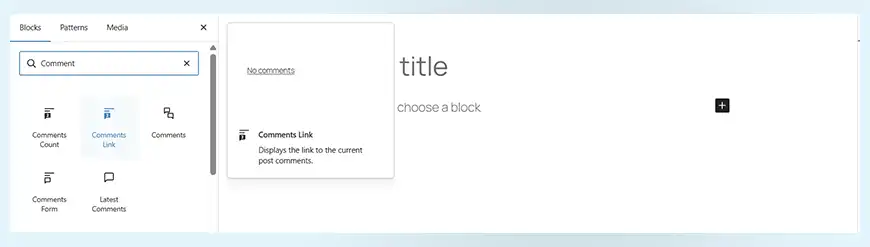
Comments Link and Comments Count Blocks
These blocks are now fully supported in both the Site Editor and Post Editor. They allow comment links and counts to be placed anywhere in a layout, offering more control over how engagement details appear.
Together, these new blocks expand the capabilities of what can be built with core WordPress tools. They offer more control, cleaner layouts, and a stronger content structure without added complexity.
What Our Developers Say:
WordPress 6.9 is an essential but non-flashy release. It doesn’t introduce dramatic UI changes, but it improves the platform and makes it future-ready. From a developer perspective, this update feels more about refinement than reinvention. Features like block-level collaboration tools and editor improvements are helpful for team-based and content-heavy sites. At the same time, performance optimizations and internal cleanups help reduce the need for workarounds at the theme and plugin level.
New Updates to Existing Blocks
WordPress 6.9 introduces thoughtful updates to many existing blocks. These changes improve layout control, accessibility, and content structure without altering familiar workflows.
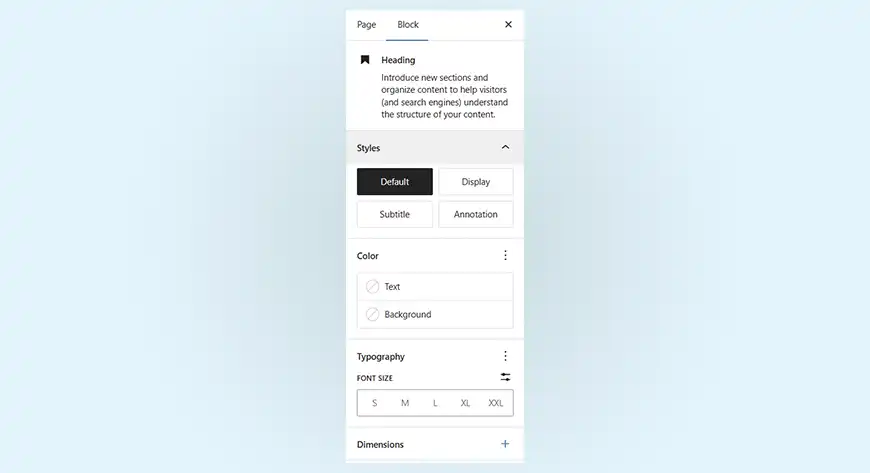
Heading Block Background Fix
The background spacing issue with Heading blocks has been resolved. Padding now applies only to the Heading block itself and no longer affects other blocks that use headings. This keeps layouts clean and avoids unexpected spacing.
Selectable HTML Elements for Button and Separator
Buttons and separators now offer better markup control. You can render buttons as links or buttons, and you can use different HTML elements for separators. This improves accessibility and provides a cleaner structure to pages.
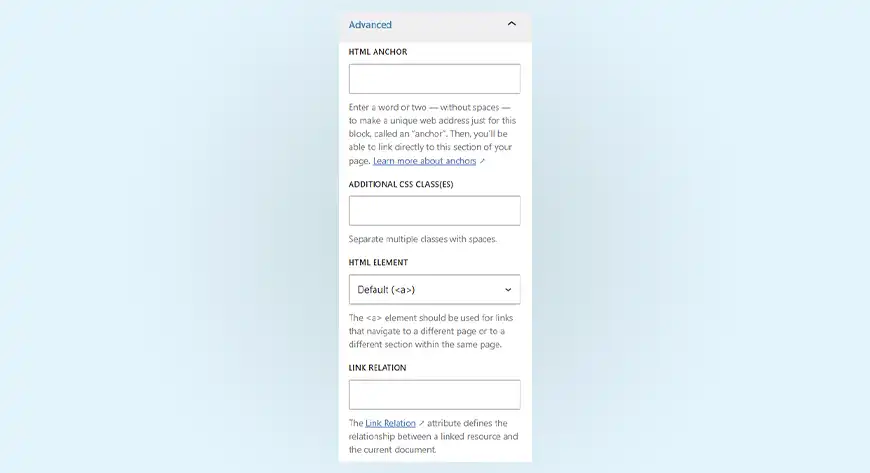
Post Content Block Wrapper Control
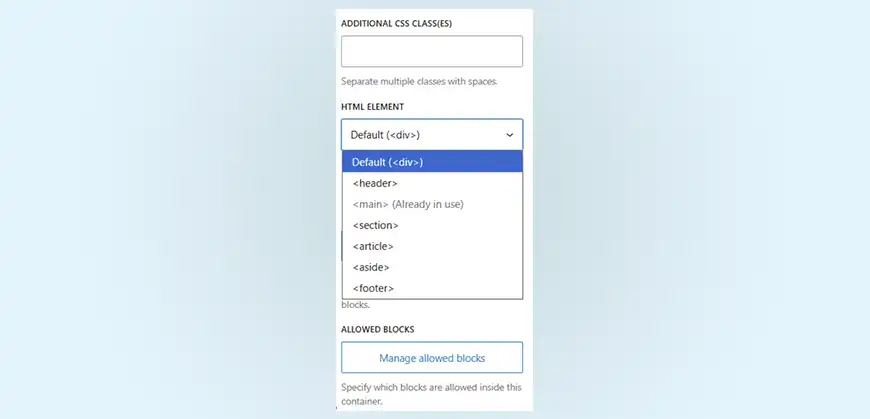
The Post Content block now allows you to select its main wrapper element. Choosing the proper structure improves page clarity and supports better page semantics.
Custom Icons for Social Links
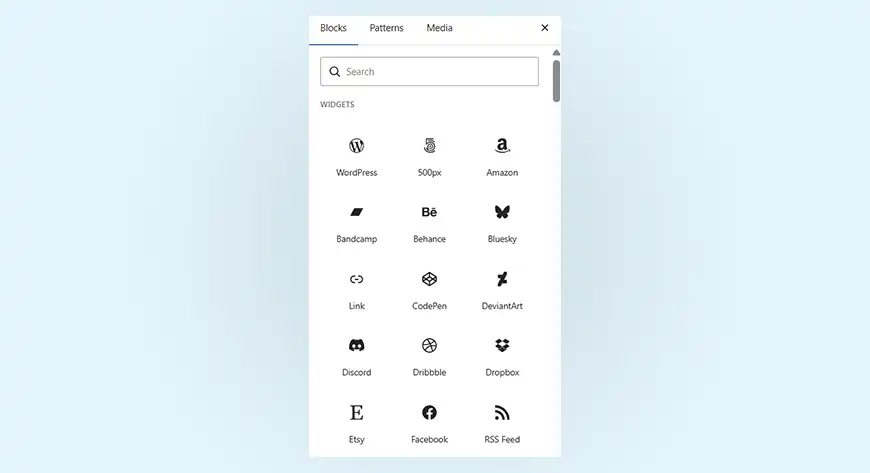
Social Links are now more flexible. Custom link icons can be added without extra plugins, making it easier to include platforms beyond the defaults.
Query Loop Sorting by Menu Order
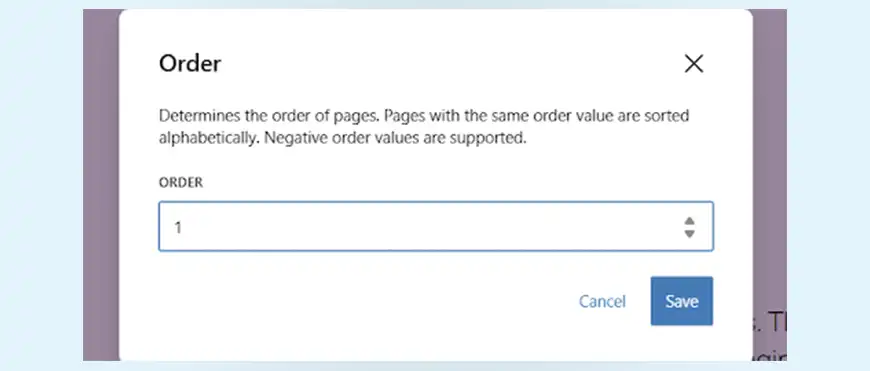
Pages can now be displayed in the Query Loop block based on their menu order. This makes it easier to manage page listings without manual sorting or custom code.
Navigation Block Improvements
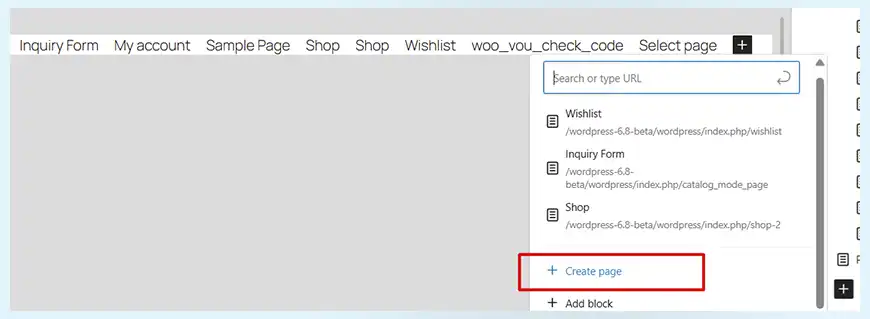
The Navigation block received several quality updates. You can create pages directly from the menu editor. Links stay updated when page URLs change. Navigation links can now open in a new tab with a simple setting. You can also set transparent menu backgrounds without using custom CSS.
Stretchy Heading and Paragraph Variations
New block variations allow text to stretch and fill the available space. These options help create bold layouts without the need for manual size adjustments.
Poster Image Support for the Cover Block
Cover blocks with videos now support poster images. This improves loading behavior and offers a better visual experience before playback begins.
These updates refine blocks and reduce the need for changes. WordPress 6.9 focuses on precision, clarity, and smoother editing across the board.
Better Collaboration and Block Control in WordPress 6.9
WordPress 6.9 introduces two closely related improvements that make teamwork and content planning much easier: block-level Notes and block visibility control. Both improve how content is reviewed and prepared.
Block-level Notes for Collaboration
Notes allow comments to be added directly to individual blocks inside the editor. This keeps feedback tied to the exact section it refers to. Notes can be added, edited, resolved, or removed as work progresses. Access depends on user roles, so feedback stays secure and relevant. When someone adds notes, authors receive notifications, which helps teams stay aligned without relying on external tools.
Flexible Support Across Content Types
Notes are enabled by default for posts and pages. They can also be added to custom content types, making the feature useful beyond standard blog posts. While setup is simple for new content types, broader support is expected to improve in future updates.
Block Visibility Control
Blocks can now be hidden from the frontend while remaining visible in the editor. This makes it easy to work on sections that are not ready to go live. Content can be reviewed, discussed, and finalized before being shown to visitors.
A Smoother Editorial Workflow
Notes and block visibility work well together. Teams can comment on hidden sections, resolve feedback, and publish only when everything is ready. This keeps live pages clean and avoids rushed edits.
These updates add real structure to content collaboration. WordPress 6.9 makes it easier to plan, review, and publish with confidence.
WordPress 6.9 to 7.0
WordPress 7.0 is scheduled for release in early 2026. The WordPress 6.9 update prepares the platform for major changes by enhancing the collaboration tools and developer foundations.
How WordPress 6.9 Leads to 7.0
Version 6.9 introduces block-level Notes and enables shared feedback within the editor. This is the first step toward live, multi-user editing planned for WordPress 7.0. Improvements to interaction handling and data tools in 6.9 also support more complex features coming next.
Key Focus Areas for WordPress 7.0
WordPress 7.0 is expected to bring AI features, with deeper integration into the core system. Responsive editing is a priority, offering control over block visibility across devices. Additional updates may include advanced workflows, a refreshed admin interface, and improved editor performance.
The changes in WordPress 6.9 are groundwork. They will make future updates smoother and more stable. WordPress 7.0 builds on this foundation to deliver a more connected, flexible, and modern platform.
Closing Lines on WordPress 6.9
The WordPress 6.9 release has made the core better without changing how users work. It improves editing flow, increases design control, and adds real collaboration in the editor. Features like Notes, block visibility, new core blocks, and dashboard-wide command search make everyday tasks more organized.
Additionally, the update prepares the platform for the next version. Improved real-time collaboration, smarter workflows, and more advanced features are expected to come in WordPress 7.0. The WordPress 6.9 update will show its impact over time. It makes the platform more stable, more flexible, and ready for what’s next.
So, if you’re ready to upgrade to the latest version of WordPress and need expert assistance for the same, you can partner with our WordPress development company.
FAQs on Latest WordPress Update
Is WordPress 6.9 compatible with my current theme or plugins?
In most cases, yes. WordPress 6.9 follows core standards, so well-maintained themes and plugins should continue to work as expected. That said, custom setups or older plugins may need review. It’s always best to test first, especially if the site relies on advanced blocks or custom code.
Will WordPress 6.9 include a new default theme?
No. WordPress 6.9 does not introduce a new default theme. The focus of this release is on improving the editor, blocks, and workflows rather than adding a new theme.
How can I safely upgrade my site to WordPress 6.9?
Start with a full backup of the site. Test the update in a staging or local environment before applying it to the live site. Check themes and plugins carefully, as even updated tools can behave differently in real use. For testing, tools like the WordPress Beta Tester plugin, WP-CLI, or a local development setup can help ensure a smooth upgrade.
Table of Contents