

- JavaScript frameworks offer a collection of pre-written code for building web and mobile applications.
- Know the benefits of using JavaScript frameworks.
- Explore the top 5 front-end and 5 backend JavaScript frameworks.
- Top ways to find the right JS framework for your project.
JavaScript frameworks have been revolutionizing web development. The top frameworks provide developers with robust tools and the latest trends for building various web and mobile solutions.
What Does a JavaScript Framework Do?
JavaScript frameworks provide an overall architecture that helps developers focus on features rather than setup. They handle routine development tasks, including DOM manipulation, routing, state management, and component organization. This allows developers to focus on business logic rather than reinventing solutions for common issues.
Why use a JavaScript Framework?
The major advantages of JavaScript frameworks are faster development cycles, reduced bugs, consistent code organization across multiple teams, easier onboarding for new members who are familiar with the framework, and community support and extensive documentation. JS frameworks can build everything from single-page applications (SPAs) to complex enterprise dashboards.
JavaScript frameworks simplify connecting to APIs, databases, and authentication services, enabling smooth front-end and backend communication that is essential for full-stack web application development. With best practices, built-in optimizations, and structured workflows, JS frameworks help to maintain efficient and scalable applications.
By providing pre-written code for common tasks, JavaScript frameworks allow helping developers to focus on unique business logic rather than infrastructure, improving the speed and efficiency, and reducing the development time.
Key Benefits:
Development Speed and Efficiency
Frameworks act as a “blueprint” and offer pre-built components for common tasks like form validation, routing, and data fetching. Hence, there is no need to build everything from scratch for every project. This helps to reduce the development time.
Scalability
As your application grows, it may become more complex. JavaScript frameworks help you to manage this type of complexity by providing a way to organize your code and components. This means that you can build complex applications without any difficulty.
Built-in Security
The top JavaScript frameworks are developed with security practices in mind, offering built-in protections against common vulnerabilities such as Cross-Site Scripting (XSS) and SQL injection.
Consistency
JS frameworks ensure consistency in coding style and practices. This makes it easier for developers to work on the same codebase. This results in efficient teamwork and better code quality.
Cross-browser Compatibility
JavaScript frameworks ensure that your code works consistently across browsers and devices. It improves the responsiveness of apps. This means you can reach a wider audience by using frameworks.
Productivity
Developers can build apps without writing everything from scratch. This boosts productivity and saves development time.
Quality
JS frameworks have built-in testing tools, which reduce bugs and improve the quality of your code. You can build reliable and secure apps using frameworks.
Most Popular JavaScript Frameworks: Front-end
1. ReactJs

React.js is not a framework but a JavaScript library, which is used to build dynamic and interactive user interfaces. It helps to simplify single-page applications (SPAs). It is known for its flexibility and efficiency in creating interactive UIs for both web and native applications.
JSX (JavaScript XML) is a unique feature of React. JSX allows programmers to write markup right into their code. It uses a virtual DOM (Document Object Model) to improve the efficiency of rendering web pages, making apps faster and more responsive. It has 106,156,160 weekly downloads.
Pros of React:
Reusable Components
React uses a component-based architecture, allowing developers to break UIs into small, self-contained units. As these can be reused across different parts of an application, it saves time and ensures a consistent look and feel.
SEO-friendly
React supports Server-Side Rendering (SSR), which allows search engines to index the content. It also helps the websites rank higher in search results.
One-way Data Binding
The unidirectional data flow makes the apps easier to debug and more predictable.
Cross-platform Development
React can be used to build native mobile applications for iOS and Android from a single codebase.
Vast Ecosystem and Community
React is maintained by Meta and has a vast community. This results in extensive documentation, several third-party libraries, and dedicated React Developer Tools for debugging.
Cons of React:
High Pace of Development
React evolves rapidly, and it may become difficult for developers to keep their skills updated. It is important for developers to stay up to date with new concepts quickly to ensure application stability.
Lack of Quality Documentation
React.js offers decent documentation, but some developers find it lacks in-depth and detailed explanations. The articles provided by the community are not organized for easy learning.
Applications Built with React: Meta (formerly Facebook), Netflix, Instagram, WhatsApp Web, Discord, Walmart, Atlassian, Asana, Dropbox.
2. Angular

Angular is a front-end web framework that provides the functionality for building single-page applications (SPA). It is based on the component-based architecture, a common framework for creating rich Internet applications. Angular allows transforming static HTML content into dynamic content that adapts to user interactions. With more than 4,488,116 downloads weekly, it is a popular choice among JS frameworks.
Pros of Angular:
Easy to Use
Developers having basic knowledge of HTML, CSS, and JavaScript can leverage Angular to build user-friendly solutions.
Reduced Coding
By providing a structured framework and automating tasks such as DOM manipulation, Angular reduces the boilerplate code developers need to write.
Code Reusability
Angular developers can wrap functionality into self-contained components that can be “plugged and played” into multiple projects.
Extensive Support
Backed by Google, it offers third-party libraries, plugins, and extensive documentation.
Cons of Angular:
Version Updates
Angular releases major updates every six months, and developers may find it difficult to keep the application up to date. Developers need to leverage new features and security patches.
Difficult Debugging
The hierarchical tree-like architecture and deep nesting of scopes can make debugging complex applications tedious and difficult.
Lack of SEO-friendliness
Search engine crawlers struggle to index content on such websites.
Applications built with Angular: Gmail, PayPal, Upwork, The Guardian, Lego, Forbes, and Capital One.
3. Vue.js
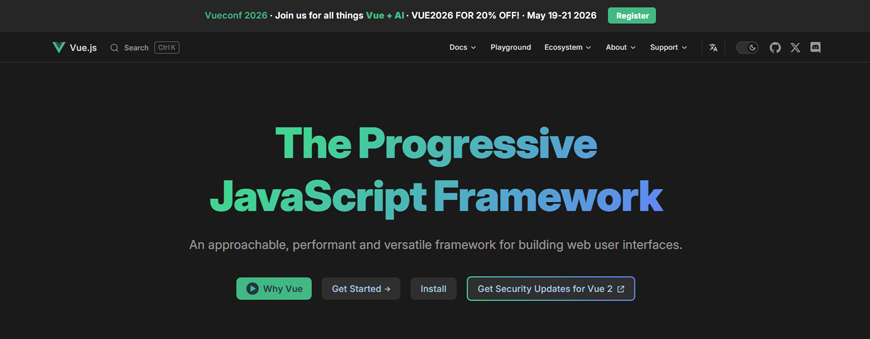
Vue.js is an open-source JavaScript framework designed for creating user interfaces and single-page applications. Also known as the “Progressive Framework”, it can be integrated into projects incrementally, ranging from simple library-like enhancements to complex, full-scale applications. The weekly downloads are 10,363,001.
Pros of Vue.js:
Easy to Learn
Developers with basic front-end knowledge can build basic apps with Vue.js within a day.
High Performance
Being lightweight, Vue.js offers high performance with virtual DOM and efficient rendering techniques.
Versatility
It can be used to build small to large-scale applications. Vue.js is suitable for both simple and complex projects.
World-class Documentation
The official Vue documentation is known for being one of the best. It is clear, detailed, and easy to understand.
Active Community
Vue.js has a large community of developers to provide support, resources, and plugins.
Cons of Vue.js:
Fewer Plugins
Developers find a lack of ready-made plugins for some specific use cases. They need to write custom solutions or revert to vanilla JavaScript.
SEO Complexity
Vue.js applications are not SEO-friendly and may require additional tools like Nuxt.js for server-side rendering.
Applications built with Vue.js: Alibaba, Nintendo, GitLab, Grammarly, BMW, and Behance.
4. Next.js
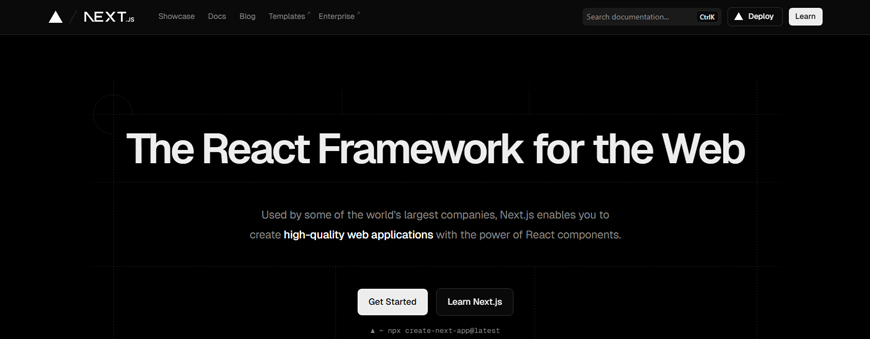
Next.js is an open-source full-stack web development framework that helps developers build high-performing, SEO-friendly web apps. It is a preferred choice for eCommerce platforms, SaaS applications, blogs, marketing websites, and large-scale enterprise apps that require high-performance and search visibility. Next.js has more than 38,038,954 downloads per week.
Pros of Next.js:
Superior Performance and Speed
Built-in mechanisms like rendering strategies, prefetching, automatic code splitting, and React Server Components (RSC), Next.js ensures high-speed delivery.
Built-in SEO Optimization
As the content is pre-rendered in HTML rather than being generated in the browser, search engines can crawl and index Next.js applications easily.
Integrated Performance Tools
Next.js features a comprehensive suite of Integrated Performance Tools that eliminate the need to manually configure optimization plugins.
Simplified Full-stack Development
Next.js brings front-end and backend development under a single roof.
Excellent Developer Experience
Next.js abstracts complex configurations and offers powerful built-in tools, ensuring an excellent developer experience (DX).
Cons of Next.js:
Steep Learning Curve
Next.js offers several advanced concepts that can be difficult for beginners or even experienced React developers to master.
Increased Infrastructure Costs and Complexity
This JavaScript framework requires specialized hosting environments and complex infrastructure management, resulting in increased infrastructure costs and complexity.
Limited Backend Capabilities
If you require advanced backend features such as complex database interactions, real-time communication, or heavy data processing, you may need to integrate Next.js with a more powerful backend solution such as NestJS, Express, or GraphQL.
Applications Built with Next.js: Nike, Walmart, Target, IKEA, TikTok, Figma, Spotify, and Stripe.
5. Ember.js
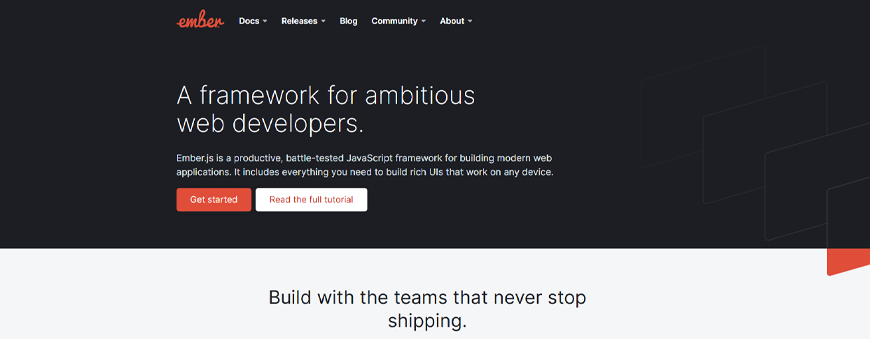
Being an open-source JavaScript framework, Ember.js is used for building modern, large-scale web applications. It helps to boost productivity while reducing the development time. As it incorporates features like two-way binding, server-side rendering, and component-based architecture, it is a trusted choice of several developers and users worldwide. It has 1,325 downloads per week.
Pros of Ember.js:
Potent Add-ons
The framework includes a dedicated website where all packages are organized, with detailed documentation and individual ratings. You can run the command “Ember add-on name” and create the add-ons easily.
Ember CLI
Ember’s “Command Line Interface for ambitious web applications” offers a robust set of command-line tools for code generation, project setup, and deployment pipelines.
Batteries-included Framework
Ember comes with a built-in router, data layer (Ember Data), and testing harness (QUnit).
Seamless Development Experience
Ember.js offers fast rebuilds, auto-reload, and a test runner that work together to deliver a seamless development experience.
Cons of Ember.js:
Steep Learning Curve
Ember has a significant learning curve, as it requires more time and investment in learning and development.
Additional Customization
Ember.js lacks Controller-level functionality, which may require additional customization for specific use cases.
Complexity
Ember may not be suitable for smaller-scale initiatives and is best fit for larger projects only due to its complexity.Apps Built with Ember.js: LinkedIn, Netflix, Microsoft, Apple, Yapp, and Square.
Most Popular JavaScript Frameworks: Back-end
6. Express.js
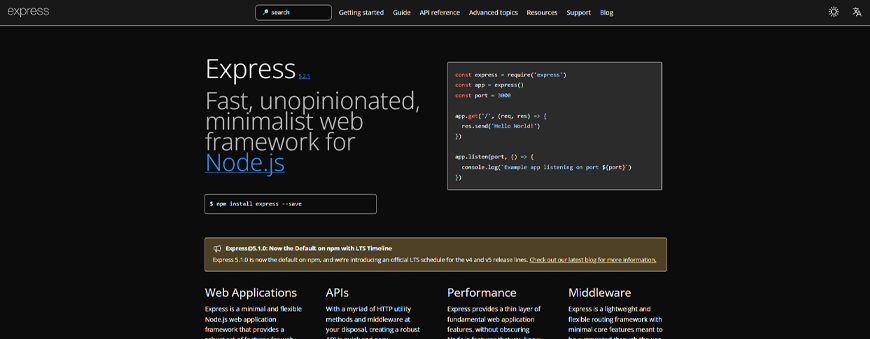
Express.js is a Node.js framework that handles the backend aspects of web and mobile applications. It powers around 1.2 million websites worldwide. As it requires JavaScript only, it becomes easier for developers to build web apps and API without any complexity. Express can be used for building single-page, multi-page, or hybrid web applications. It has about 83,464,101 downloads weekly.
Pros of Express.js:
Lightweight and Minimalist
It is lightweight, allowing lower memory usage and faster processing than heavier frameworks.
Simplified Development
It is an excellent choice for beginners. Developers and programmers familiar with JavaScript find it easier to grasp Express. It requires minimal setup for building APIs, creating routes, and handling requests.
Large Community
Express has a large and active community of developers and organizations who work on improving the framework. If you feel stuck during the development, you can contact the community. They provide several resources and tutorials to make it easier to learn and create apps using this framework.
Extensive Documentation
Express.js comes with extensive documentation that is well-organized and easy to navigate. Every function and feature comes with examples and detailed explanations.
Compatible with Popular Databases
Express works well with SQL and NoSQL database systems like MongoDB, MySQL, and PostgreSQL. This allows the developers to select the database technology that is suitable for their project requirements.
Easily Extensible with a Large Middleware Ecosystem
It comes with a large ecosystem of official and third-party middleware that can be integrated into applications. This helps to save time and effort as developers don’t need to create every feature from scratch.
Cons of Express.js:
Provides Minimal Structure
It may not be possible to use Express.js for large applications. Developers may struggle with an inconsistent codebase and difficulty when onboarding new team members.
Fewer Built-in Features
It offers only essential features required for backend development. Developers will have to write custom code or incorporate third-party libraries to integrate advanced features like form validation and authentication.
Complexity Nanaging Middleware
Though Express.js offers middleware, it can have a steep learning curve for developers who are not familiar with the concept. Middleware can be difficult to debug and managing long queues can be challenging.
Applications Built with Express.js: PayPal, Netflix, LinkedIn, Uber, GoDaddy, Trello, and Coursera.
7. Nest.js

Nest.js is a powerful framework for building efficient and scalable server-side applications using JavaScript or TypeScript. It helps developers build highly testable, scalable, and maintainable applications. Nest.js offers multiple functionalities and out-of-the-box APIs. Programmers can leverage Nest.js for building apps with less code. Nest.js has more than 13,394 downloads per week.
Pros of Nest.js:
Scalability
It follows a modular architecture and promotes code organization. It becomes easy to build and manage apps built using Nest.js.
Productivity
As Nest.js leverages TypeScript, it boosts developer productivity by offering features like auto-completion, type checking, and better code documentation.
Maintainability
Having a modular and organized code structure makes it easier to maintain Nest.js apps.
Testing
It becomes easier to write unit tests, integration tests, and end-to-end tests, resulting in more reliable apps.
Full-stack Development
It can be used with front-end frameworks like React or Angular to build full-stack applications. This allows seamless integration between the front-end and backend components, leading to a unified development.
Ecosystem and Community
Nest.js offers a huge ecosystem of libraries, modules, and community support. It can be integrated with other frameworks and tools to accelerate the development process.
Cons of Nest.js:
Boilerplate Code
Nest.js provides a solid foundation and architectural guidelines, but it may require writing more code compared to other minimalist frameworks. This can increase the development time.
Performance Overhead
The multiple abstraction layers, decorators, and metadata reflection can introduce a slight performance penalty and higher baseline memory usage compared to bare-bones Node.js applications.
Applications Built with Nest.js: Hoppscotch, Accenture, Siemens, Trivago, Fiverr, and Accenture.
8. Hapi.js

Hapi.js is a Node framework used to build scalable web apps, HTTP proxy applications, APIs, and more. Hapi provides a comprehensive and integrated authentication architecture, end-to-end security, and a robust plugin system.
Pros of Hapi.js:
Ease of Coding
Hapi helps developers to write manageable, controllable, and distributable code.
Robust Plugin System
Plugins allow for easy extension and organizing code into reusable modules, aiding in modular, scalable development.
Built-in Security
Hapi.js offers built-in authentication, security features, and authorization to simplify secure API development.
Highly Scalable
It is an enterprise-ready Node.js framework that is designed to handle complex, high-traffic applications.
Cons of Hapi.js:
Code Configuration
Developers need to figure out the code structure without community support.
Manual Testing
As it lacks automation, testing may need to be manual.
Compatibility Issues
Some Hapi-specific modules and plugins are not compatible with Express or Connect.
Applications Built with Hapi.js: Uber, Accuweather, IMDB, Walmart
9. Fastify
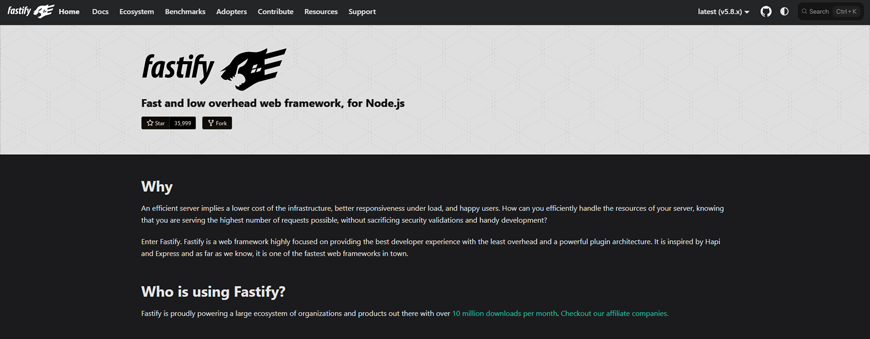
Fastify, a Node.js framework, is known for high performance, low overhead, built-in security, and long-term support. It is used for backend web development. It helps developers build lightning-fast APIs with minimal effort. This framework has 5,321,359 downloads per week.
Pros of Fastify:
Extreme Performance
As Fastify is optimized for speed, it often outperforms the alternatives by 2-3x in throughput.
Highly Extensible
It is fully extensible via its plugins, hooks, and decorators.
Developer Friendly
The framework is designed to be highly expressive and assist developers in their everyday tasks, all while maintaining performance and security.
Lower Overhead
The framework’s internal structure ensures minimal memory usage and high-speed processing, ideal for microservices and real-time apps.
Cons of Fastify:
Harder Debugging
Fastify is designed for speed. Hence, tracing errors may be challenging and time-consuming.
Overskill for Small Projects
It is not suitable for smaller applications as it is designed for large-scale projects only.
Smaller Ecosystem and Community
It has fewer plugins, tutorials, and documentation because of a smaller community size.
Apps Built with Fastify: Capital One, Walmart, American Express.
10. Koa.js

Koa.js is a next-generation web framework that makes it easy to build online applications and APIs. It is known for its lightweight feature and modular architecture. Though it is smaller, it is more expressive and offers a robust foundation for web applications and APIs. It has more than 5,923,171 downloads weekly.
Pros of Koa.js:
Lightweight and Minimalist
Developers get maximum control over the stack when they use Koa.js.
Enhanced Error Handling
By using a try / catch approach with upstream/downstream middleware execution, Koa prevents website failures more effectively.
Excellent Performance
Koa.js offers better performance than other alternatives, making it suitable for high-traffic, asynchronous applications.
Modular Architecture
Koa.js allows developers to choose their own libraries and keep the app lightweight.
Cons of Koa.js:
Requires More Setup
Developers need to spend more time setting up basic features like routing and templating.
Smaller Community
The community is smaller than Express, which results in fewer tutorials, third-party libraries, and community support.
Steeper Learning Curve
It is not beginner-friendly, and so, developers will not be able to use it without technical expertise.
Apps Built with Koa.js: Airbnb, Uber, Microsoft, GAPO, Bulb, and GitHub.
How to Choose the Right JavaScript Framework
With so many JavaScript frameworks available, you may be confused about which one to choose for your project. Choosing the best JavaScript framework depends on your project requirements, team size, and other factors. Here are a few considerations to help you make the right choice:
Project Requirements
Consider the project’s size, complexity, nature (front-end or back-end), and performance requirements when choosing a JavaScript framework. For example, if you need a fast backend server, you may choose Fastify.
Community Support and Documentation
You should make sure that the JavaScript framework you choose has a large developer community and extensive documentation. If developers run into strange bugs during development, the developer community can help.
Scalability
Choose a framework that is scalable because, as your requirements grow, you may want to extend the functionality. Rather than switching to a new framework, you can scale your project.
Ease of Use
It is important to select a JavaScript framework that is easy to use and understand. This will help you save time and effort during development.
Every project is different, and there’s no one-size-fits-all JavaScript framework. You need to identify your needs and find a framework that caters to your requirements and goals.
Conclusion
Each framework has its pros and cons, and developers should consider them while selecting a JavaScript framework. Users should understand their exact project requirements and make the right choice for selecting the best JavaScript framework. You can hire JavaScript developers to help you make the right decision.
FAQs:
What are the most popular frameworks for enterprise applications?
The most popular frameworks for enterprise applications are Spring Boot (Java), ASP.NET Core (C#), and Java EE (Jakarta EE).
How do I choose between React, Angular, and Vue?
React can be the best choice if you want the largest ecosystem, high flexibility, and the best job market prospects. You can pick Angular if you are building a large-scale, enterprise-level app, and Vue if you are looking for a lightweight framework with an easy learning curve and clean code organization for rapid development.
What is the difference between a library and a framework?
The primary difference between a JavaScript library and a framework is Inversion of Control (IoC). A library allows you to control the application flow and call the library’s functions whenever required. The framework controls the flow and calls your code at specific lifecycle points.
What is the best JavaScript framework for creating a blog?
Next.js, Astro, Nuxt.js, and Gatsby are the best JavaScript frameworks for creating blogs.
Which JavaScript framework is better for SaaS, React or Vue?
The choice between React and Vue depends on your business requirements and goals. React is used for complex, large-scale enterprise SaaS, while Vue is used for rapid prototyping and smaller teams.
What are the main reasons teams choose a JavaScript framework for modern web development?
Teams choose JavaScript frameworks to handle the increasing complexity of web applications, accelerate development speed, and ensure code maintainability. As frameworks provide pre-built modules, components, and libraries, they help teams build complex functionalities without starting from scratch.
Table of Contents