

Quick Summary: This guide compares the best WooCommerce gift card plugins like Vezaro- WooCommerce PDF Vouchers, YITH WooCommerce Gift Cards, and more, covering their features, pricing, ratings, strengths, and limitations. It explains how to choose the right plugin based on delivery options, online and in-store redemption, checkout compatibility, security, and long-term costs. Whether you need simple digital gift cards or branded PDF vouchers, the guide helps you find a suitable option for your store.
The right plugin depends on three things: how customers will receive the card, how they will spend it, and how much you want to pay each year. A free plugin is enough for simple digital cards. Paid options add printable PDFs, physical cards, scheduled delivery, and in-store redemption.
WooCommerce can’t sell gift cards on its own. It only gives you coupon codes. You need a gift card plugin for WooCommerce that creates the card, emails it, tracks the balance, and allows partial use at checkout. The wrong choice costs you in renewals, checkout bugs, or manual work for your team.
This guide covers seven of the top WooCommerce gift card plugins. Each one has its key features, pros, cons, pricing, and rating, so you can compare them accordingly.
WooCommerce Gift Card Plugins at a Glance
| Plugins | Use case | Pricing | Ratings |
|---|---|---|---|
| Vezaro: WooCommerce PDF Vouchers | Branded PDF vouchers for online and in-store use | $49/year | 4.9/5 (280) |
| WebToffee WooCommerce Gift Cards | Digital cards and store credit, with a free trial run | $99/year | 4.5/5 (10) |
| PW WooCommerce Gift Cards | Simple digital cards with quick setup | $99/year | 4.7/5 (196) |
| Gift Cards For WooCommerce Pro | A capable free base plugin with a Pro upgrade path | $89/year | 4.7/5 (246) |
| YITH WooCommerce Gift Cards | Themed card designs and physical cards | $ 129.99/year | 3.3/5 (53) |
| Advanced Gift Card for WooCommerce | Discounted gift cards and image galleries | $79/year | 4/5 (6) |
| PDF Product Vouchers (SkyVerge) | Classes, events and in-person services | $129/year | 3.9/5 (45) |
Top WooCommerce Gift Card Plugins For Stores
Seven plugins in a single format: below is what each one does, what it costs, and where it falls short, so you can match a plugin to your store in a few minutes.
1. Vezaro: WooCommerce PDF Vouchers
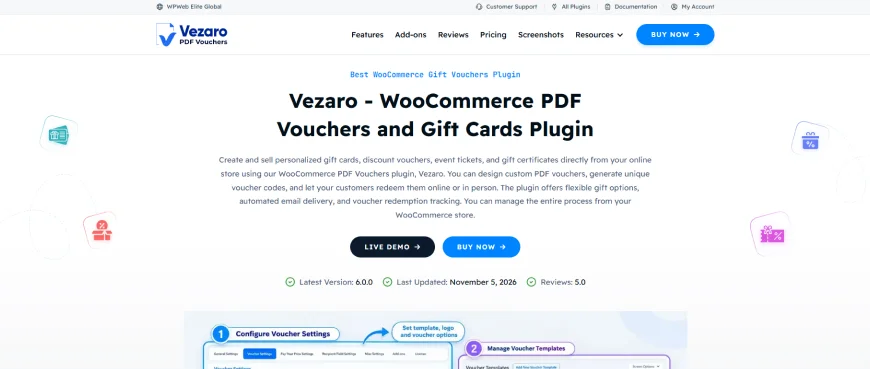
Vezaro – WooCommerce PDF Vouchers lets you create and sell personalized gift cards, store credit, event tickets, and service vouchers through your online store. Customers receive unique voucher codes they can redeem online or at a physical location.
With a drag-and-drop builder, you can design branded PDF vouchers and assign templates to products or individual variations. Trusted by 20,000+ happy customers, Vezaro also lets shoppers add recipient details and personal messages, with automatic email delivery simplifying the gifting process.
Manage partial or full redemptions, scan QR codes and barcodes, and set expiration dates to control voucher usage. WooCommerce coupon integration and detailed reports help you manage voucher sales and track redemptions directly from your store.
Explore the live demo to see how voucher creation and redemption work, or check the documentation for setup instructions and feature details.
Key features
- Drag-and-drop builder with unlimited voucher templates
- Automatic codes with custom prefixes, or CSV import of your own codes
- QR code and barcode scanning for redemption
- Partial or full redemption, with the balance kept for later
- Scheduled delivery and recipient name, email, and message fields
- Customer-chosen amounts with minimum and maximum limits
- Expiry dates, usage limits, and restricted redemption days
- Preview before purchase, vendor details, and multiple redemption locations
- Reports exported as PDF or CSV
Pros
- Online and in-store redemption work in the same plugin, with scan-to-redeem included
- Scheduled delivery, partial redemption, and QR or barcode support come with every plan
- Fine rule control, including product and category coupon restrictions
- Works with Dokan, WC Vendors, and WooCommerce Bookings
Cons
- Requires annual renewal to continue receiving updates and support after the first year.
- Some features require additional payment.
Pricing: $49/year
Rating: 4.9/5 (280)
2. WebToffee WooCommerce Gift Cards
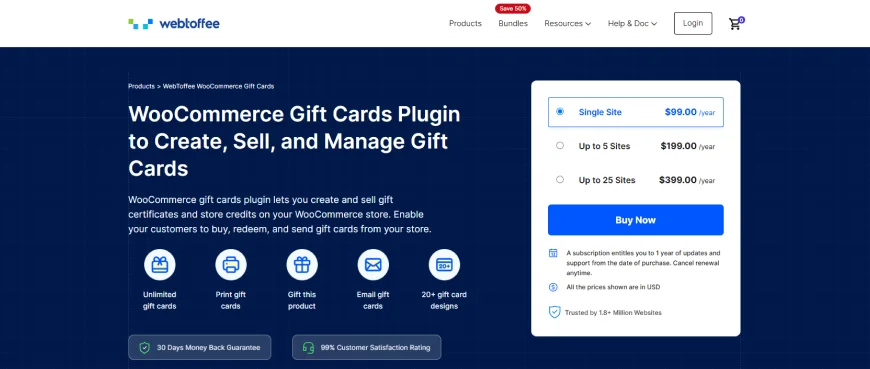
WebToffee is a WooCommerce gift card plugin, and it has two versions. The free one lives on WordPress.org, and the paid one is sold on the Woo marketplace. The free version sells digital cards by email with a PDF attached, supports partial redemption, and doubles as a store credit tool.
The paid version adds unlimited gift card products, physical cards, expiry dates, and scheduled delivery. It is a sensible pick if you want to test for free before paying.
Key features
- 20+ ready-made templates, plus custom template uploads
- Email delivery, anonymous sending, and multiple recipients
- Physical cards that you print and ship
- Scheduled delivery for a future date
- Gift cards that can pay for shipping and taxes
- Usage limits by product, category, cart total, or expiry date
- A “Gift This Product” option on product pages
- Refunds issued as store credit
- Compatibility with Aelia, WPML, CURCY and YayCurrency
Pros
- The free tier includes partial redemption, PDF attachments, and store credit coupons
- Premium cards can cover shipping and taxes
- Refunds on a gift card purchase go back to the same card
- The Woo listing passed the marketplace vulnerability checks and offers a 30-day money-back guarantee
Cons
- The free version allows only one gift card and four templates
- Custom amounts, physical cards, expiry dates, and scheduling are all premium
- Printable PDF vouchers in the paid plugin rely on a separate mPDF add-on
Pricing: $99/year
Rating: 4.5/5 (10)
3. PW WooCommerce Gift Cards
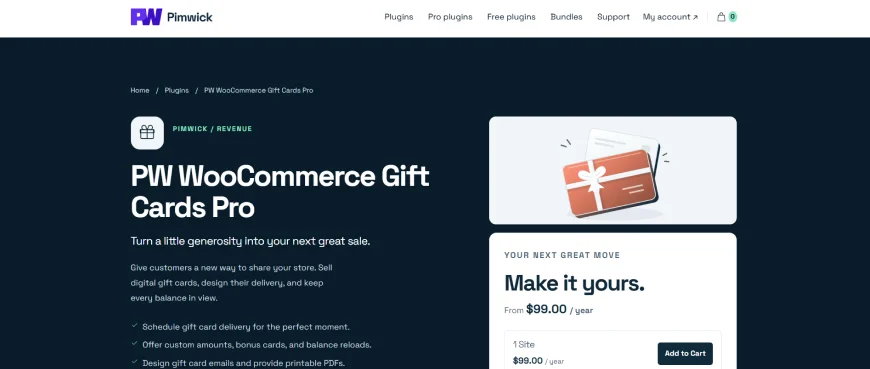
PW Gift Cards by Pimwick follows the Amazon style of buying. The customer picks an amount, a recipient, and a message, and the recipient clicks a Redeem button in the email, which automatically adds the card to the cart.
The free edition covers email cards, guest redemption, balance tracking, and block checkout. Pro adds scheduling, custom amounts, bonus cards, printable PDFs, and tools for in-person use.
Key features
- Preset amounts and personal messages
- Guest redemption and balance tracking
- Scheduled delivery and customer-defined amounts with limits (Pro)
- Bonus cards, such as “buy a $25 card, get a $5 card free” (Pro)
- Balance reloads on existing cards (Pro)
- An email designer with five designs, plus printable PDFs and QR codes (Pro)
- Redemption limits by product, category, tax, or shipping (Pro)
- Cashier tools to adjust balances in store, CSV import and export, and a REST API (Pro)
Pros
- The free edition already works with the WooCommerce Cart and Checkout Blocks
- Staff can adjust a balance from the admin and enter a POS receipt number
- A cancelled or refunded order returns the balance to the card, including on split payments
- Works with HPOS, WooCommerce Subscriptions, eight currency switchers, and the major payment gateways
Cons
- Digital first: physical cards mean importing manufacturer numbers and creating a separate product
- The free edition has no scheduling or custom amounts
- Pro renews each year automatically, and renewals are not refundable
- Balances are held in your store’s default currency and converted at purchase and redemption
Pricing: $99/year
Rating: 4.7/5 (196)
4. Gift Cards For WooCommerce Pro
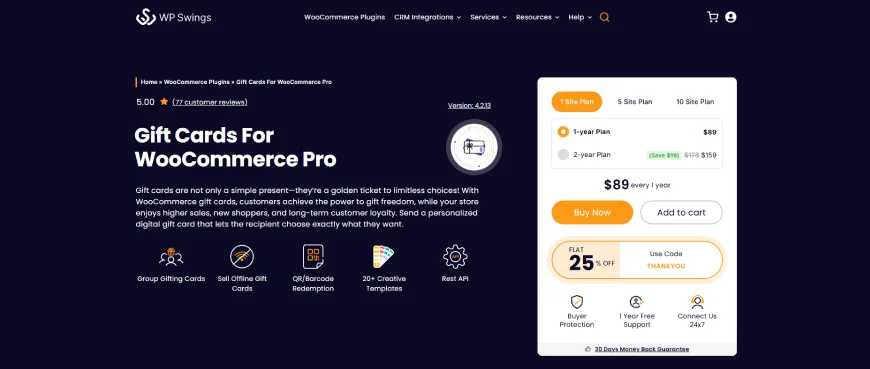
Gift Cards for WooCommerce Pro by WP Swings is the paid upgrade of a free plugin that WordPress.org still lists as Ultimate Gift Cards for WooCommerce. The free plugin includes customizable templates, several pricing types, and redemption and recharge at both online and retail stores. Pro adds QR codes or barcodes, WhatsApp sharing, and usage notifications. It suits stores that want a capable free start and a clear upgrade path.
Key features
- Five pricing types: fixed, selected, range, user price, and variable (a sixth combines selected and range)
- Predefined and custom templates
- Delivery by email or downloadable link
- A gifting portal to redeem and recharge cards at a physical store
- Group gifting, scheduling and discounts on gift cards (Pro)
- QR code and barcode support (Pro)
- PDF templates, Twilio SMS, WhatsApp sharing and reporting (Pro)
- Smart coupons migration and price-based support by country
Pros
- A generous free base plugin with real redemption tools
- Flexible pricing, including duration-based cards through variable pricing
- Works with Wallet System, Membership, and Return Refund & Exchange plugins
- Active development
Cons
- The free base plugin has nine disclosed vulnerabilities, all patched in version 3.2.13, including a high-severity flaw (7.5) fixed in 3.0.7 and four reported in September 2026
- Group gifting, scheduling, QR and barcode features need Pro
- Pro only works while the free plugin is also installed
Pricing: $89/year
Rating: 4.7/5 (246)
5. YITH WooCommerce Gift Cards
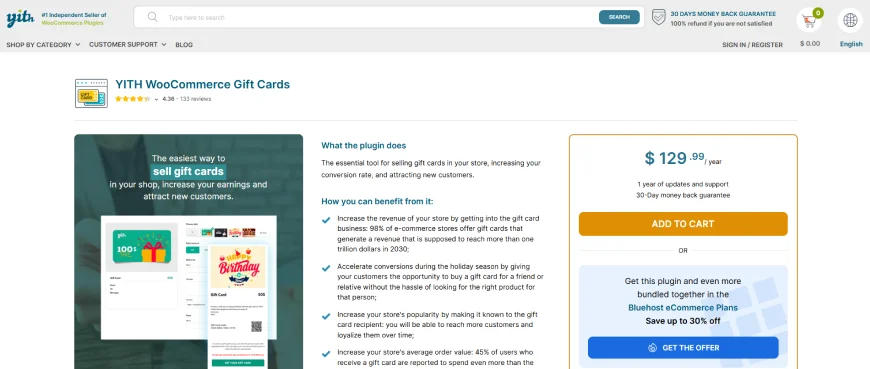
YITH WooCommerce Gift Cards sells digital and physical cards, and its premium version leans on design. Premium adds custom amounts, customer photo uploads, a PDF attachment, QR codes, a balance check page, and a “Gift this product” option. Buyers can also pick a delivery date up to three months ahead. It fits stores that want themed card images and printable cards.
Key features
- Themed image galleries, such as Christmas or birthday
- Customer-uploaded photos on the card
- Scheduled delivery, multiple recipients and sender notifications
- Custom amounts with minimum and maximum limits
- QR codes, PDF versions, and printable cards
- Bulk code creation and CSV import and export
- A shortcode page where staff can update a card’s balance after an in-store sale
- A built-in converter for Smart Coupons store credit
Pros
- The widest design control in this list
- Sender emails tell the buyer when the card was delivered and when it was used
- Staff can update balances for in-store spending from a simple page
- Bulk codes suit promotions and corporate gifts
Cons
- Many popular features, such as custom amounts, QR codes, and “Gift this product”, are premium only
- Premium is one of the higher prices on this list
- Integrations with YITH Booking, Subscription, and others work only if you buy those plugins too
Pricing: $ 129.99/year
Rating: 3.3/5 (53)
6. Advanced Gift Card for WooCommerce
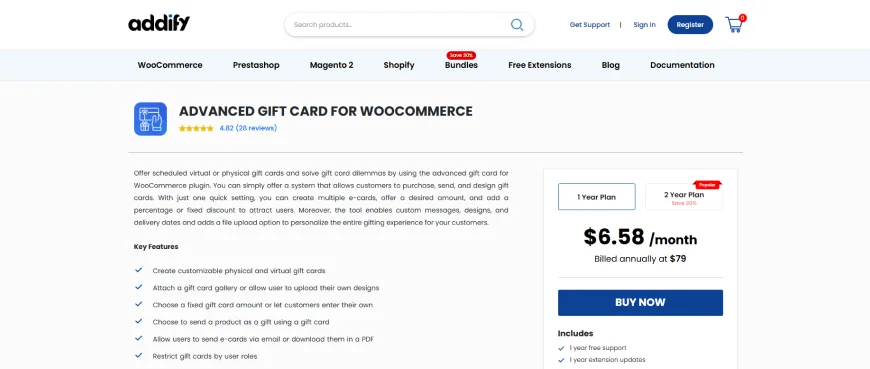
Addify’s plugin, listed on the Woo marketplace as Advanced Gift Card, sells virtual and physical cards. You can discount a card, for example, selling a $500 card for $480, and group card images into galleries by occasion. Customers see purchased and received cards, with balances, in their account. It earns the marketplace’s Excellence verified badge.
Key features
- Virtual cards by email or PDF, and physical cards that are shipped
- Scheduled delivery and multiple recipients
- Fixed or custom amounts with limits
- Discounts on cards, as a fixed amount or a percentage
- Image galleries and customer image uploads
- Limits by product, category, and user role
- Expiry set in days
- An admin dashboard showing total, used, and remaining amounts
Pros
- Discounted cards give you a built-in promotion tool
- Gift card details and balances are shown in My Account
- Role-based restrictions and a detailed admin log
- Carries the Excellence verified badge and passed the marketplace vulnerability checks
Cons
- No free version
- No QR code or barcode redemption is listed
Pricing: $79/year
Rating: 4/5 (6)
7. PDF Product Vouchers by SkyVerge

PDF Product Vouchers is a WooCommerce gift voucher plugin by SkyVerge. It is more of a tool than a classic gift card system. It sells printable PDF vouchers for products or store credit that can be redeemed in person, online, or at events. It suits businesses that take payment now and deliver a class, ticket, or service later. A what-you-see-is-what-you-get editor builds the voucher layout.
Key features
- Six default voucher backgrounds, or upload your own
- Recipient name and message fields
- Automatic emails to the recipient with the voucher attached
- QR codes for scan-to-redeem
- Partial and multiple redemptions
- A void option that blocks further use
- Single-purpose vouchers limited to chosen products
- Manual voucher creation for giveaways
Pros
- Strong for in-person redemption, with quick redeem and void actions in the admin
- Searchable voucher list by number, customer, or recipient
- Tax is calculated automatically on redemption
- Marketplace Excellence verified, with 3K+ active installs
Cons
- Variable amounts need the separate Name Your Price extension
- Aimed at services and events more than general store gift cards
Pricing: $129/year
Rating: 3.9/5 (45)
How Did We Evaluate These Best WooCommerce Gift Card Plugins?
We compared each plugin using public sources and applied the same six checks to each one. Below is what we looked at and where we found the information.
Features and Plan Limits
We read each vendor’s product page and documentation and separated what the free version offers from what needs a paid plan.
Pricing and Billing
We took prices from the vendor’s own page or the Woo marketplace listing. Where no official price was visible, we used two independent roundups and said so in that plugin’s entry.
Ratings and Reviews
We recorded the score, the number of reviews, and the source for each plugin. Ratings from different sites are never combined into one number.
Security Record
We checked Wordfence Intelligence for disclosed vulnerabilities and the Woo marketplace’s vulnerability check for listed plugins.
Maintenance and Updates
We looked at the latest version, release dates, and changelog to see how actively each plugin is developed.
Store Compatibility
We checked stated support for block checkout, HPOS, multi-currency and subscriptions, plus the minimum WooCommerce and PHP versions.
We evaluated all seven plugins, including our own Vezaro, against the same six checks, and none got special treatment.
Factors to Consider When Choosing a Gift Card Plugin
Most plugins list the same headline features, so a few checks decide whether a gift card plugin for WooCommerce fits your store. Check these before you pay for anything.
Plan Inclusions
Plugin pages list every feature across every plan. Check which plan covers the formats you need, such as scheduled emails, PDF downloads, SMS, or printed cards, before you set a budget.
Redemption Rules
Look at the small rules that customers notice at checkout:
- Can a card be used across several orders, with the balance saved?
- Does it cover tax and shipping, or only the product price?
- Can you exclude sale items or certain categories?
- Can you cap how much of an order a card can pay for?
- Can staff adjust a balance by hand if someone spends it in person?
Checkout Process
Newer stores use block checkout and High-Performance Order Storage (HPOS). If the plugin doesn’t support them, customers may not see the field to enter their code. Also check multi-currency and subscriptions if you use them. Test on a staging site first, because a gift card that fails to apply at checkout becomes a support ticket.
Expiry Rules
Under federal law, a gift card can’t expire earlier than five years after it was issued, and the expiry date must be clearly shown on the card. For reloaded cards, the five years run from the last time funds were added. States can be stricter, and some prohibit gift cards from expiring at all.
Some states also have unclaimed property rules that affect unused balances. Look for a plugin that lets you set a long expiry or none, and prints the date on the card. Confirm your state’s rules with an accountant or lawyer.
Safety and Maintenance
A gift card balance works like money, so a plugin flaw can cost you directly. Past security reports on gift card plugins include cases where visitors without an account could get inflated gift card credit. Check the last update date, the “tested up to” WordPress version, and the changelog. Search the plugin’s name on Wordfence’s vulnerability database as well.
Long-term Cost
A yearly license, a one-time fee, and a per-sale fee behave very differently as your sales grow. Check the renewal price and the number of sites each license covers. Also check what happens when a license ends. Some vendors let you keep using the Pro features after the license expires, but you stop getting updates and support.
Reports and Admin Tools
Unspent gift card balances are money you still owe customers in goods. You need a clear view of issued, redeemed, and outstanding amounts. Also look for search by code, export to CSV, and a record of every balance change.
Buy with the refund window in mind. Windows differ by vendor, so finish your staging test inside that period.
Conclusion
The right WooCommerce gift card plugin depends on how customers will receive and redeem their cards, the features your team needs, and the cost you are comfortable paying each year. Before choosing one, test the checkout flow, balance tracking, redemption rules, compatibility, and admin tools on a staging site.
For stores that need branded PDF vouchers, scheduled delivery, partial redemption, and both online and in-store use, Vezaro WooCommerce PDF Vouchers is worth considering. Its drag-and-drop builder and QR or barcode redemption tools also make it suitable for gift cards, event tickets, bookings, and service vouchers.
Shortlist the plugin that matches your store’s requirements and review its renewal terms, support policy, and security record before purchasing. If you need help making the right decision, reach out to us.
FAQs on Top WooCommerce Gift Card Plugins
What is the difference between a gift card and a WooCommerce coupon?
A coupon is a discount you give away, usually for free. A gift card is prepaid value that a customer pays for, and the plugin tracks the remaining balance after each use. That is why gift cards need a plugin, while coupons come with WooCommerce.
Do I charge sales tax when I sell a gift card?
In the US, tax is generally charged when the card is spent on taxable items, not when the card is sold, though state rules differ. Most plugins let you set the gift card product’s tax status to none.
Can customers use a gift card together with a discount coupon?
It depends on the plugin and your settings. WebToffee can block gift cards from being used with coupons, and PW Gift Cards can stop a coupon from discounting the gift card product itself. Decide your rule before launch so shoppers don’t stack offers by accident.
What if a customer loses their gift card code?
The code is in the delivery email, so searching their inbox is the first fix. Vezaro lets logged-in shoppers download their vouchers from My Account.
How long does it take to set up a gift card plugin?
Vendors say a basic digital card can go live in a few minutes. Allow extra time if you build voucher templates, design emails, or set expiry rules. Run a test purchase and redemption before you promote the cards.
Can I move my existing gift cards or store credit to a new plugin?
Often yes. Some plugin imports and exports balances by CSV, and YITH converts Smart Coupons store credit into gift cards. Export your current balances first and test a few cards in the new plugin before you switch.
Table of Contents